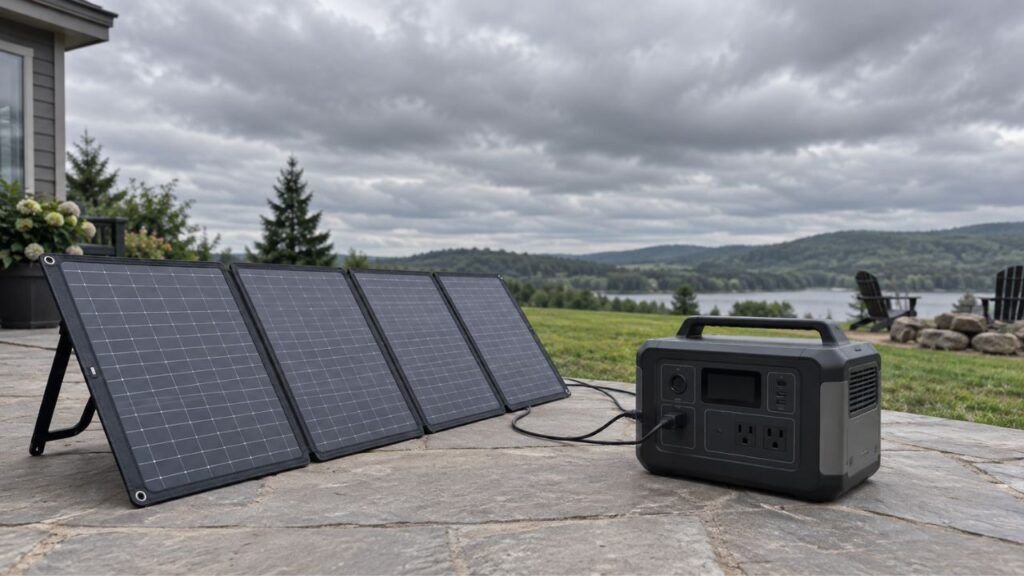
Yes, solar panels can recharge a solar generator on cloudy days. Clouds reduce the sunlight reaching your panels, so charging becomes slower. Light overcast conditions may still provide useful power. Heavy clouds can reduce output enough that charging becomes extremely slow.
The actual result depends on your panels, generator, cloud cover, and setup. Below, I’ll explain what output you can expect, how long charging may take, and how to improve cloudy-day performance.
Key Takeaways
- Solar panels can generate electricity without direct, bright sunshine.
- Cloudy weather usually reduces solar output rather than stopping it completely.
- Heavy overcast conditions can make solar charging extremely slow.
- Actual solar input matters more than your panel’s advertised wattage.
- Your generator’s solar input voltage range can affect charging performance.
- Larger compatible solar arrays can improve cloudy-day charging.
- Running appliances while charging reduces energy reaching the battery.
- Several cloudy days may require another charging source.
Can Solar Panels Recharge a Generator on a Cloudy Day?
Yes, solar panels can still recharge a solar generator during cloudy weather. They do not need perfectly clear skies to produce electricity.
Solar photovoltaic cells respond to available light. Some sunlight still reaches the ground when clouds cover the sky. This scattered or diffused light can still reach your panels.
However, the amount of usable solar energy drops considerably.
A panel rated for 200 watts will not necessarily produce 200 watts. Even during clear weather, real output changes throughout the day. Cloud cover reduces that output further.
A lightly overcast afternoon might still provide reasonable charging power. A dark stormy morning may provide almost nothing useful.
It is also important to clarify what “generator” means here.
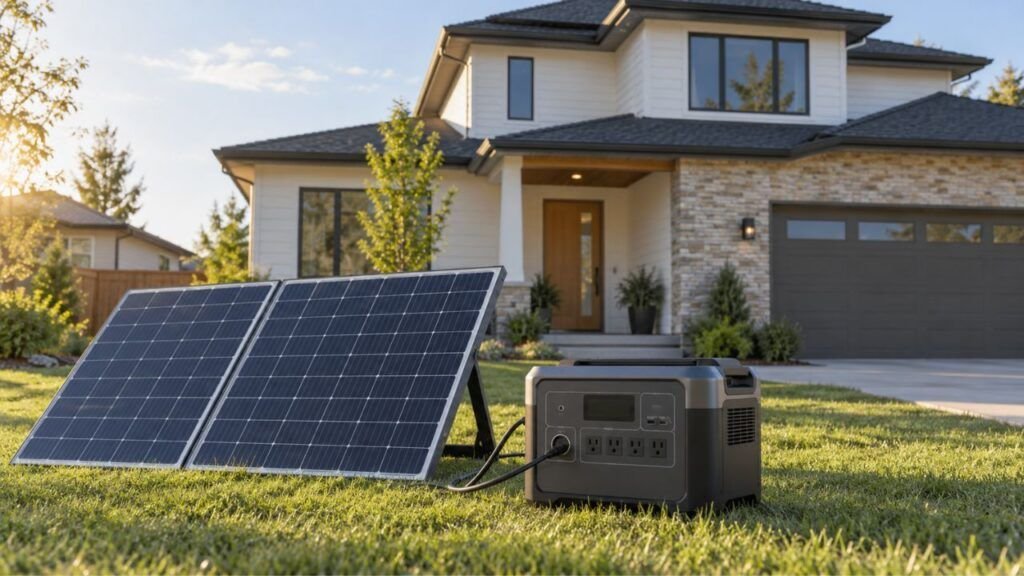
Solar panels normally recharge battery-powered solar generators or portable power stations. They do not recharge traditional gasoline, propane, or diesel generators.
If you own a portable power station with solar input, cloudy charging is possible. The main question becomes how much useful power your panels can collect.
How Much Power Do Solar Panels Produce on Cloudy Days?
Cloudy-day output varies much more than many simple estimates suggest. Cloud thickness, panel position, season, and time all affect production.
Here is a practical way to think about possible output.
| Weather Condition | Example Output From a 400W Array | What You May Experience |
| Clear or mostly sunny | Highest available output | Fastest charging |
| Bright overcast | Around 160–240W | Useful charging remains possible |
| Partly cloudy | Around 120–300W average | Output changes frequently |
| Thick overcast | Around 40–100W | Charging becomes much slower |
| Dark storm conditions | Possibly below 40W | Charging may become minimal |
| Nighttime | 0W | No solar charging |
These numbers are only planning examples.
Your 400W array could produce more or less depending on conditions. Portable panels rarely deliver their full rated wattage continuously anyway.
Do not assume every cloudy day reduces production by one fixed percentage.
Thin clouds might cause a modest reduction. Dense storm clouds can dramatically reduce available solar energy.
Clouds also move constantly.
You may see your generator receiving 60 watts one minute. A brighter opening could suddenly increase that to 180 watts.
That changing behavior is completely normal.
Why Solar Panels Still Work Without Direct Sunlight
Solar panels need light, but that light can reach them differently. Direct sunlight produces the strongest output, while scattered light still produces electricity.
Direct Sunlight Produces the Most Power
Direct sunlight travels from the sun straight toward your panels.
This usually gives photovoltaic cells their strongest available energy source. That is why clear midday conditions normally produce higher output.
Portable solar panels perform best when aimed toward strong direct sunlight.
Clouds Create Diffused Sunlight
Clouds scatter sunlight before it reaches the ground.
Some light still passes through the clouds. Other light arrives from different parts of the sky.
Solar panels can collect some of this diffused light.
That is why a solar panel does not instantly stop working. Its output simply falls as available light becomes weaker.
Different Clouds Produce Different Results
Not every cloudy day looks or behaves the same.
Thin high clouds can still allow considerable sunlight through. Thick low clouds may block much more direct solar radiation.
Broken cloud cover creates another situation.
Your panel may receive weak light for several minutes. Then sunlight suddenly appears through a gap.
That can cause solar input to rise rapidly.
So, watching your power station for several minutes provides better information. A single wattage reading does not tell the whole story.
How Long Does It Take to Recharge a Solar Generator on a Cloudy Day?
Cloudy-day charging time depends on the battery energy you need. It also depends on the actual wattage reaching the generator.
Use Actual Solar Input Instead of Panel Wattage
Suppose you own a 400W solar panel array.
Your power station might only receive 100W during heavy overcast conditions.
For charging calculations, use the 100W actual input.
Do not calculate using the 400W panel rating.
A simple estimate looks like this:
Charging time = watt-hours needed ÷ actual solar input watts
You should also expect real charging to take somewhat longer.
Solar output fluctuates throughout the day. Conversion losses also occur inside the charging system.
Example With a 1,000Wh Solar Generator
Imagine your generator has a 1,000Wh battery.
The battery is currently at 20%.
You need roughly 800Wh to bring it near full.
Here is what different solar input levels could mean.
| Actual Solar Input | Basic Time for 800Wh | Practical Expectation |
| 50W | 16 hours | Likely takes several daylight periods |
| 100W | 8 hours | Around one long productive day or more |
| 200W | 4 hours | Much more practical |
| 300W | About 2.7 hours | Relatively fast charging |
These calculations assume relatively stable solar input.
Real cloudy conditions rarely stay perfectly stable.
Eight Charging Hours May Require More Than One Day
This part is easy to overlook.
Eight hours of required charging does not necessarily mean eight clock hours.
You may only receive five productive solar hours that day.
If your battery requires eight effective charging hours, the remaining energy must come later. That could mean continuing the following morning.
This becomes particularly important during fall and winter.
Shorter daylight hours can extend charging across multiple days.
Why Your Solar Generator May Show 0W Input on a Cloudy Day
Sometimes your panels appear connected correctly, yet the generator shows zero input. Weak sunlight is one possible reason, but several other factors matter.
Solar Input May Be Too Low
Every portable power station has acceptable solar input specifications.
Your solar array needs to provide suitable voltage and current.
Extremely weak light may reduce usable production considerably. The charging controller may struggle to harvest meaningful energy.
This is more likely during:
- Heavy storm clouds
- Early morning
- Late afternoon
- Dense tree shade
- Poor panel positioning
Do not assume the panel is defective immediately.
Wait for brighter conditions and test the setup again.
Your Panel Voltage Must Match the Generator
Your generator normally lists an acceptable solar input voltage range.
The connected panels must stay within that range.
This matters especially when adding several solar panels together.
Too little usable input may prevent effective charging.
Too much voltage can damage the power station.
Always check the generator manual before changing panel configurations.
Clouds Can Make Solar Input Constantly Change
Your generator may display changing numbers throughout the day.
For example, you might see:
- 0W
- 18W
- 55W
- 22W
- 110W
Cloud movement can cause these changes within minutes.
That does not necessarily mean something is wrong.
Give the system time before assuming you have equipment failure.
Your Appliances May Be Using the Incoming Solar Energy
This often causes confusion.
Suppose your panels are producing 100 watts.
At the same time, your refrigerator and electronics consume 150 watts.
Your battery still needs to provide the missing energy.
Therefore, your battery percentage can fall while solar panels are connected.
The panels are working. Your loads simply consume more energy than they produce.
Check Cables, Connectors, and Adapters
Weak conditions make connection problems easier to notice.
Check every solar connection carefully.
Look for:
- Loose connectors
- Damaged cables
- Incorrect adapters
- Excessively long extension cables
- Improper polarity
- Partially connected plugs
Try testing with the simplest possible setup.
Connect the panel directly whenever your equipment allows it.
What Affects Solar Charging Most on Cloudy Days?
Clouds are important, but they are not the only factor. Several conditions determine how much energy reaches your battery.
- Cloud density: Thick clouds usually reduce solar output more severely.
- Time of day: Midday normally offers stronger available solar energy.
- Season: Winter provides shorter days and lower sun angles.
- Panel wattage: Larger arrays can collect more total available energy.
- Panel position: Better positioning can improve available solar input.
- Physical shade: Trees and buildings can sharply reduce production.
- Panel temperature: Cooler panels can operate efficiently despite weaker sunlight.
- MPPT performance: Good controllers adjust to changing solar conditions.
- Cable losses: Long or undersized cables can waste available energy.
- Battery charge level: Some systems reduce charging near full capacity.
You cannot control the clouds.
However, you can control many parts of your setup.
That is where most practical improvements come from.
Cloud Cover and Partial Shade Are Not the Same Problem
Cloudy conditions and physical shade both reduce solar production. However, they affect solar panels in different ways.
Cloud cover usually reduces light across most of the panel.
Physical shade may block only one section.
That sounds less serious, but partial shade can cause large output losses.
Solar cells inside a panel are electrically connected.
Shade across part of the panel can sometimes affect more than that section. The exact impact depends on panel construction and bypass diodes.
This is why panel placement remains important during cloudy weather.
A panel sitting under a tree may perform poorly.
Moving it into an open field can improve output considerably.
You should prioritize a clear view of the sky.
Do not assume cloudy weather makes physical shading irrelevant.
How to Get More Solar Charging on Cloudy Days
You cannot increase the available sunlight, but you can collect it better. Small setup changes sometimes make a noticeable difference.
Move the Panels Into an Open Area
Start by removing unnecessary obstructions.
Look for trees, buildings, fences, roof equipment, and utility poles.
RV owners should also watch for:
- Roof air conditioners
- Vent covers
- Satellite equipment
- Roof racks
- Nearby awnings
Even partial shade can reduce output.
Choose the widest open view of the sky available.
Adjust the Panels Toward the Brightest Sky
Finding the perfect angle can be difficult under clouds.
Instead, use your power station’s live solar input display.
Move the panel slightly.
Wait for the wattage reading to stabilize.
Then compare the result.
This gives you real feedback from your own equipment.
Keep Every Panel Fully Exposed
If you use multiple panels, check each one.
One panel may sit in clear open light.
Another could be partially shaded by a tree branch.
That uneven exposure can reduce total system performance.
Try keeping every panel equally exposed whenever possible.
Keep the Panel Surface Clean
Solar panels need as much available light as possible.
Dust, pollen, leaves, dirt, and bird droppings block some light.
Cloudy conditions already reduce incoming energy.
You do not want surface debris reducing it further.
Clean portable panels gently with appropriate materials.
Avoid abrasive products that could damage the surface.
Reduce Power Use While Charging
This is one of the easiest improvements.
Suppose your array produces 120W during cloudy weather.
Your devices currently consume 100W.
Very little energy remains for battery charging.
Turn off unnecessary devices temporarily.
Now more solar energy can reach the battery.
Prioritize essential equipment during poor weather.
Will Adding More Solar Panels Help on Cloudy Days?
Adding more solar capacity can significantly improve cloudy-day charging. However, the additional panels must remain compatible with your power station.
Why More Panel Wattage Can Help
Imagine cloudy conditions allow roughly 25% of rated output.
Your results might look something like this:
- 100W array could provide around 25W.
- 200W array could provide around 50W.
- 400W array could provide around 100W.
- 800W array could provide around 200W.
These are simplified examples, not guaranteed numbers.
Actual results can change every minute.
Still, the basic idea remains useful.
More panel capacity gives you more collecting area.
That can make weak sunlight much more useful.
Check Your Generator’s Maximum Solar Input
Do not keep adding panels without checking specifications.
Look for these numbers in your manual:
- Solar input voltage range
- Maximum open-circuit voltage
- Maximum input current
- Maximum accepted solar wattage
- Supported connectors
The maximum voltage limit is especially important.
Exceeding that limit can damage the generator’s solar input circuitry.
Series vs. Parallel Panels on Cloudy Days
You may hear conflicting advice about panel wiring.
Some people recommend series connections during weak sunlight.
Others recommend parallel connections.
Neither configuration is universally better for every power station.
Series wiring increases total voltage while current stays similar.
Parallel wiring increases available current while voltage stays similar.
The correct configuration depends on:
- Panel specifications
- Generator input voltage
- Maximum current
- Maximum solar wattage
- Shading conditions
Always design around the equipment specifications.
Do not choose a wiring method based on cloudy weather alone.
Can You Use a Solar Generator While It Charges on a Cloudy Day?
Many portable power stations can run devices while accepting solar input. However, you should confirm your specific model supports this operation.
What happens to the battery depends on your power balance.
If solar input exceeds your appliance load, the battery charges.
If both numbers are similar, the battery changes slowly.
If your appliances consume more, the battery continues draining.
Imagine your panels provide 120 watts.
Your connected equipment consumes 80 watts.
Roughly 40 watts remains before accounting for system losses.
Now imagine those appliances consume 180 watts.
Solar still contributes 120 watts.
However, your battery supplies the remaining power.
This distinction matters during extended cloudy weather.
Instead of asking whether solar is “working,” check both numbers.
Compare your solar input against your current output load.
Is a 100W Solar Panel Enough for Cloudy-Day Charging?
A 100W solar panel can charge many small portable power stations. However, cloudy conditions can make the process painfully slow.
Suppose your 100W panel produces only 20W.
Charging 500Wh would theoretically require about 25 hours.
That could mean several days of available sunlight.
If the panel produces 40W, the same 500Wh needs roughly 12.5 hours.
That becomes more manageable.
Battery size also matters.
A 100W panel might work reasonably well with a 300Wh station.
The same panel may feel inadequate with a 2,000Wh battery.
For larger power stations, more solar capacity usually becomes worthwhile.
Just remain within the generator’s electrical input limits.
Should You Depend on Solar Alone During Several Cloudy Days?
Solar can extend your available backup power during cloudy weather. However, relying entirely on solar requires careful energy management.
For several cloudy days, consider these steps:
- Start with your battery fully charged.
- Prioritize refrigerators and essential communication equipment.
- Reduce unnecessary high-wattage appliance use.
- Use the largest compatible solar array available.
- Charge whenever conditions improve.
- Monitor incoming solar watts throughout the day.
- Use AC charging when grid power returns.
- Consider compatible vehicle charging during emergencies.
- Keep enough stored energy for nighttime use.
- Treat cloudy solar production as additional energy, not guaranteed replenishment.
This approach is especially useful during storm-related outages.
Your panels might collect useful power throughout the day.
However, that energy may not replace everything your home consumes.
Plan conservatively when weather conditions remain uncertain.
Cloudy-Day Solar Charging Troubleshooting Checklist
If your solar generator refuses to charge, work through these checks. Starting with simple causes usually saves considerable frustration.
- Check the generator’s live solar input reading.
- Move your panels completely away from physical shade.
- Position them toward the brightest open sky.
- Inspect every plug, cable, adapter, and connector.
- Remove unnecessary solar extension cables temporarily.
- Confirm the panels match the generator’s PV voltage range.
- Turn off high-power appliances while testing solar charging.
- Wait for lighter cloud cover and check again.
- Test the panels later during direct sunshine.
- Compare the results with previous normal readings.
- Check whether the battery is already near full.
- Confirm low-temperature battery protection is not active.
- Review the generator’s solar input limits before adding panels.
If the system works properly under clear sunlight, heavy cloud cover may simply be the problem.
If it still shows zero input under strong sunlight, inspect the equipment further.
Final Verdict
Yes, solar panels can recharge a generator on cloudy days, provided you are using a compatible solar generator or portable power station.
The panels still collect diffused daylight when direct sunlight disappears. However, charging speed can drop dramatically as cloud cover becomes thicker.
The most useful number is not your panel’s rated wattage.
Look at the actual solar input wattage shown by your generator.
That number tells you what your system is really receiving.
For occasional cloudy weather, a properly sized solar setup usually works well. For frequent overcast conditions, additional compatible panels can provide more useful charging capacity.
Just remember that more panels are not automatically safe.
Always stay within the power station’s voltage, current, and wattage limits.
During several cloudy days, manage your electricity carefully. Reduce unnecessary loads and keep another charging option available.
That way, cloudy weather becomes an inconvenience instead of an emergency.
Related FAQs
Here are several common questions that come up when using solar generators during overcast, rainy, or low-light conditions.
Do Solar Panels Need Direct Sunlight to Charge a Generator?
No. Solar panels can generate electricity from diffused daylight that reaches them through clouds. Direct sunshine produces much more power, but overcast skies usually reduce output rather than stopping it entirely.
Will a 100W Solar Panel Charge a Generator on a Cloudy Day?
Yes, a compatible 100W panel can still charge a generator during cloudy weather. However, actual output may become very low, making larger batteries take many hours or several days to recharge.
Can Solar Panels Charge a Generator in the Rain?
Solar panels can continue producing electricity during rain because daylight still reaches them. Output normally drops considerably, and you should only expose equipment to rain when its weather-resistance rating permits it.
Do Solar Panels Charge Through a Window on Cloudy Days?
They can produce some electricity behind glass, but charging performance usually drops. Window glass reduces incoming solar energy, while indoor positioning can further limit the panel’s exposure to useful daylight.
Is a 200W Solar Panel Better Than a 100W Panel in Cloudy Weather?
Usually, yes. A 200W panel provides more collecting area and greater potential output. Under the same cloudy conditions, it can often provide substantially more useful charging power than a 100W panel.
Why Does My Solar Generator Show 0W Solar Input?
Very weak sunlight, physical shade, loose connectors, incompatible voltage, damaged cables, or charging limits can cause a zero reading. Test your setup again under stronger sunlight before assuming the panel has failed.
Does Cold Weather Stop Solar Panels From Charging?
Cold weather alone does not normally stop solar panels from generating electricity. However, some lithium batteries prevent charging below certain temperatures, so the generator’s battery protection system may temporarily block charging.
Can I Add More Solar Panels to Make Cloudy-Day Charging Faster?
Yes, additional panels can improve cloudy-day charging when properly configured. Before adding them, confirm your generator’s maximum solar wattage, voltage range, open-circuit voltage limit, and maximum input current.

Austin Parker writes practical generator how-to guides, troubleshooting advice, and buying guides for solar, portable, and fuel-powered generators. His focus is helping readers solve common power problems, understand their options, and choose dependable equipment for real-world use.