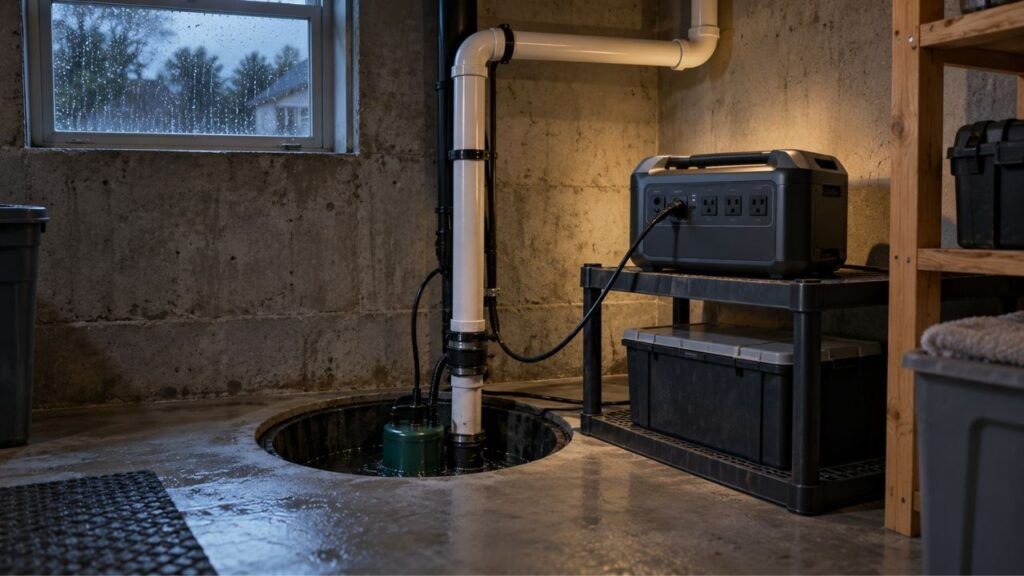

You can make solar generator battery power last longer by reducing high-watt loads, turning off unused AC outlets, using USB or DC power when possible, and adding solar input during use. For longer battery life, avoid repeated deep discharges, excessive heat, and poor storage habits.
In this guide, I’ll show you how to stretch each charge further. I’ll also explain how to protect the battery for years of reliable backup use.
Key Takeaways
- Reduce high-watt appliances first when you need longer runtime.
- Turn off AC output when you are not using AC devices.
- Use USB-C or 12V DC connections when they suit your equipment.
- Add solar charging during use to slow battery drain.
- Avoid leaving the battery completely discharged for long periods.
- Keep the generator cool, shaded, and properly ventilated.
- Follow your manufacturer’s storage and charging recommendations.
- Charge to 100% before an emergency when maximum runtime matters.
How Can You Make a Solar Generator Last Longer on One Charge?
The easiest way to extend runtime is to reduce how much power leaves the battery. Small efficiency changes help, but controlling large loads usually makes the biggest difference.
Start by running only the devices you actually need.
During a blackout, that may include your refrigerator, router, phones, lights, or medical equipment. Everything else can wait until more power becomes available.
High-watt appliances deserve special attention. Space heaters, microwaves, hair dryers, coffee makers, and portable air conditioners can drain a battery surprisingly fast.
You can also make the battery last longer by:
- Turning off unused AC outlets.
- Unplugging devices after charging.
- Lowering screen brightness on connected electronics.
- Using power-saving modes when available.
- Running larger appliances for shorter periods.
- Using appliances one at a time.
- Charging phones and laptops through USB-C.
- Using 12V appliances directly when supported.
- Adding solar input while the generator is running.
The goal is simple. Try to get useful work from every watt-hour stored in the battery.
What Drains a Solar Generator Battery the Fastest?
Some loads barely affect battery percentage. Others can take a large chunk of your capacity within an hour. Knowing the difference helps you decide what should stay connected.
| Battery Drain | Why It Uses More Power | Better Approach |
| Space heater | Often draws 1,000 to 1,500 watts continuously | Limit use or heat one small area |
| Portable air conditioner | Compressor requires significant continuous power | Use intermittently when practical |
| Microwave | Uses high wattage even during short operation | Run briefly and separately |
| Coffee maker | Heating elements consume substantial power | Brew once instead of reheating |
| Hair dryer | High heat setting can exceed 1,000 watts | Avoid during outages if possible |
| AC inverter left on | Uses some battery power even with small loads | Turn AC output off when unnecessary |
| Multiple appliances | Combined wattage drains the battery faster | Stagger larger loads |
| Weak solar charging | Input cannot replace what appliances consume | Improve panel position and sunlight |
Heating and cooling devices usually deserve the most attention.
For example, a 1,500-watt heater can use about fifteen times more energy each hour than a 100-watt device.
If your battery is dropping quickly, check the wattage display first. One large appliance may be causing most of the problem.
Calculate How Long Your Solar Generator Battery Should Run
Runtime calculations help you decide whether your setup can handle a night, an afternoon, or an entire outage. The numbers will never be perfect, but they give you a useful starting point.
Basic Solar Generator Runtime Formula
A simple calculation looks like this:
Runtime = usable battery energy ÷ total device wattage
Suppose your solar generator has a 1,000Wh battery.
A 100-watt device might appear to run for ten hours:
1,000Wh ÷ 100W = 10 hours
Real-world runtime will usually be lower.
Your power station uses some energy internally. You also lose energy when converting battery power into AC electricity.
That means rated battery capacity does not equal usable AC energy.
A More Realistic Runtime Calculation
You can make the estimate more useful by including battery utilization and conversion losses.
Use this simplified formula:
Runtime = battery capacity × usable percentage × efficiency ÷ total load
Imagine this example:
- Battery capacity: 1,000Wh
- Usable battery percentage: 90%
- Conversion efficiency: 90%
- Appliance load: 100W
- Internal station use: 10W
First, calculate usable AC energy:
1,000 × 0.90 × 0.90 = 810Wh
Then divide it by the total load:
810 ÷ 110 = about 7.4 hours
That is more realistic than assuming the full 1,000Wh reaches your appliance.
Why Real Runtime Can Still Be Different
Actual runtime changes constantly.
A refrigerator, for example, does not draw the same wattage every minute. Its compressor cycles on and off.
Other factors include:
- Outside temperature.
- Battery temperature.
- Battery age.
- Appliance efficiency.
- Inverter efficiency.
- Battery state of health.
- Power station self-consumption.
- Solar charging during operation.
Use runtime calculations as planning tools, not exact promises.
Use the Most Efficient Output for Each Device
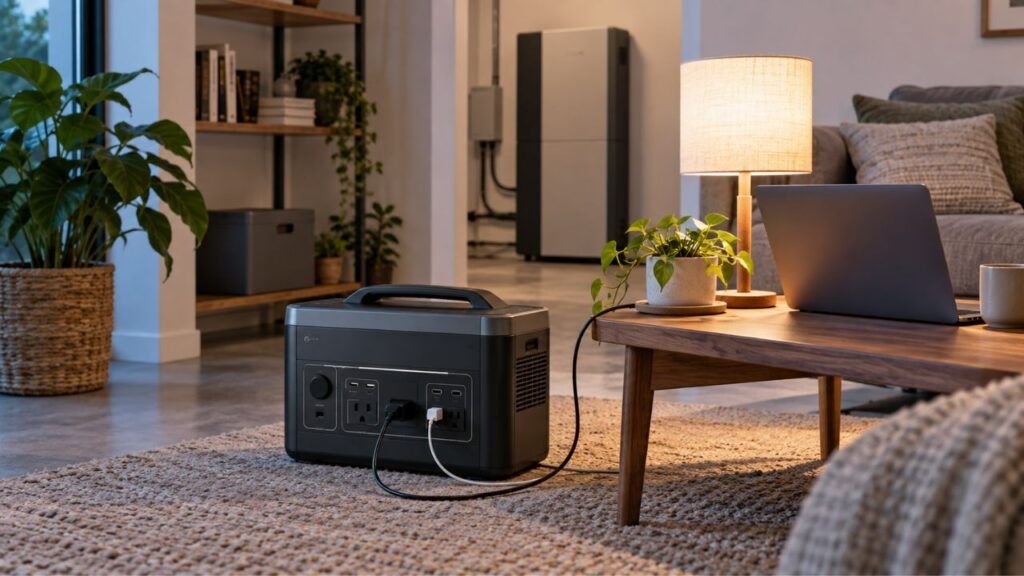
Your solar generator may offer AC outlets, USB ports, USB-C ports, and 12V DC outputs. Choosing the right connection can reduce unnecessary conversion losses.
When to Use the AC Outlets
Use AC outlets when your appliance needs standard 120V household power.
Common examples include:
- Refrigerators.
- Televisions.
- Coffee makers.
- Microwaves.
- Standard household fans.
- Medical devices with AC adapters.
The power station must convert stored DC battery power into AC electricity.
That conversion creates some energy loss.
The inverter may also consume power simply by being active.
AC is still necessary for many devices. The point is not to avoid it completely.
Use it when you need it.
When USB-C or DC Can Save Battery Power
Some devices can run directly from USB or DC power.
Examples include:
- Smartphones.
- Tablets.
- USB-C laptops.
- Cameras.
- LED lights.
- Portable routers.
- Some camping refrigerators.
- 12V accessories.
Direct DC connections can avoid an extra AC conversion step.
That can improve efficiency, especially during long periods of low-power use.
For example, charging a laptop through USB-C may be more efficient than plugging its wall charger into the AC outlet.
Savings vary between power stations and devices. Still, it is a useful habit when every watt matters.
Turn Off the AC Inverter When You Are Not Using It
Your solar generator can lose energy even when no major appliance is running.
The AC inverter is one common source of that background drain.
When AC output stays enabled, the inverter remains ready to provide household power. That requires some energy.
The station may also power:
- Internal electronics.
- Cooling systems.
- Wi-Fi or Bluetooth modules.
- Display screens.
- Monitoring circuits.
- Battery management systems.
None of these loads may seem large individually.
Over several hours, however, they can noticeably reduce runtime.
If you are only using USB or DC ports, turn off AC output when your generator allows separate control.
This matters most overnight.
Leaving an inverter running for eight hours without a meaningful AC load can waste energy you may need the next morning.
Prioritize Appliances During a Power Outage
A solar generator becomes much more useful when you manage it like a limited energy budget. Decide what must stay powered first, then use remaining capacity for comfort.
Keep Essential Loads Running First
During an outage, I would prioritize devices that protect food, health, communication, or safety.
Examples include:
- Refrigerator.
- Freezer.
- Medical equipment.
- Internet router.
- Phones.
- Emergency lighting.
- Security equipment.
- Essential communication devices.
You do not need every appliance running continuously.
A little planning can add hours to your available backup time.
Limit High-Watt Comfort Appliances
High-watt comfort devices can empty smaller power stations quickly.
These include:
- Space heaters.
- Hair dryers.
- Toasters.
- Electric cooktops.
- Electric kettles.
- Coffee makers.
- Portable air conditioners.
That does not mean you can never use them.
Run them briefly when necessary.
Then turn them off and return to essential loads.
A 1,500-watt space heater is very different from a 20-watt LED lamp.
Check wattage before deciding what deserves battery power.
Stagger Heavy Loads
Try not to run several high-demand appliances at once.
Instead of running a microwave, coffee maker, and toaster together, use them one after another.
This helps in two ways.
First, it lowers the total load at any given moment.
Second, it reduces the chance of exceeding your inverter’s output rating.
Staggering loads is especially useful with smaller solar generators.
Use Solar Panels to Slow the Battery Drain
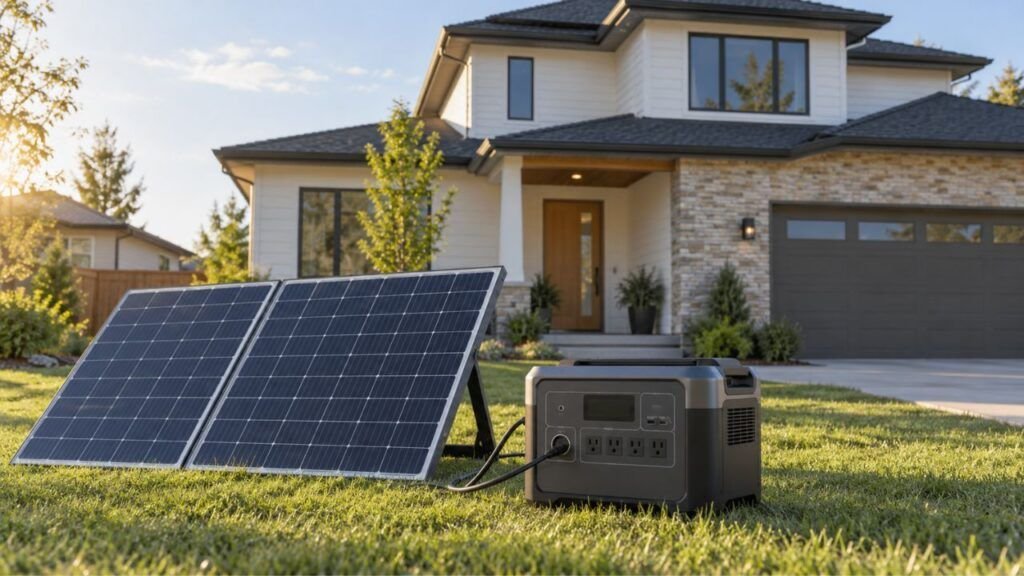
Solar charging can change the entire runtime equation. Your battery does not have to supply every watt when sunlight is helping.
Keep the Panels in Strong, Unobstructed Sunlight
Solar panels work best when they receive direct sunlight.
Watch for:
- Tree branches.
- Roof shadows.
- Buildings.
- Vehicles.
- Utility poles.
- Dirt.
- Pollen.
- Snow.
- Leaves.
Even partial shade can reduce solar production.
Portable panels also benefit from repositioning as the sun moves.
Check the power station’s input display after moving your panels.
If input increases, you know the adjustment helped.
Watch Input Watts and Output Watts
This is one of the easiest ways to manage runtime.
Suppose your appliances are using 300 watts.
Your solar panels are producing 220 watts.
The battery only needs to make up the difference, plus system losses.
That means the battery will drain much more slowly.
Now imagine your devices are using 500 watts while solar input is only 100 watts.
The battery still has to provide most of the energy.
Get into the habit of comparing:
Solar input vs. appliance output
The closer those numbers become, the slower your battery should discharge.
Can You Use a Solar Generator While It Is Charging?
Many modern solar generators can power devices while accepting solar input.
This is often called pass-through operation.
It can be extremely useful during long outages.
Your panels can support daytime loads while preserving more battery power for nighttime.
However, not every power station handles simultaneous charging and discharging in the same way.
Check your model’s manual before depending on this feature.
Also watch temperature during heavy simultaneous use.
Charging and discharging together can create extra heat inside some units.
Keep the Solar Generator Cool While It Is Working
Heat is one of the biggest enemies of lithium batteries.
Your solar panels need sunlight.
Your power station usually does not.
Keep the panels outside in direct sun while placing the generator in a shaded, ventilated location.
Do not place the generator directly beside hot solar panels simply because the cables are short.
Use the available cable length wisely.
Also avoid leaving your power station inside a closed vehicle on a hot summer day.
Vehicle interiors can become extremely hot.
The same concern applies to enclosed garages, sheds, RV compartments, and storage boxes.
Keep the ventilation openings clear.
Do not place clothing, bedding, or equipment against cooling vents.
A cooler battery generally performs better and ages more slowly.
How Can You Make the Solar Generator Battery Last More Years?
Getting more runtime from today’s charge is only half the story. Good charging, temperature, and storage habits can also help the battery retain capacity over many years.
Avoid Repeated Deep Discharges
You do not need to panic if your battery occasionally reaches 0%.
Solar generators are designed to be used.
However, repeatedly draining lithium batteries from full to empty can create more wear than shallower cycles.
During ordinary daily use, recharge before the battery becomes completely empty when convenient.
For example, plugging in at 20% or 30% is generally easier on the battery than repeatedly running it until shutdown.
Emergency use is different.
If the power is out and you need the remaining battery, use it.
Battery preservation should not come before essential household needs.
Avoid Leaving the Battery Extremely Low for Long Periods
Reaching a low charge during use is not the same as storing a nearly empty battery for months.
That second situation can cause more trouble.
A power station still experiences small amounts of internal drain while stored.
If you put it away at 1% or 2%, it may continue dropping.
That could eventually leave the battery too deeply discharged.
Try to recharge the unit before long-term storage.
Then check it periodically.
Avoid Prolonged Heat
Heat accelerates battery aging.
That makes hot storage areas especially concerning.
Avoid storing your power station:
- In a hot car.
- In direct sunlight.
- Beside a furnace.
- Near a radiator.
- Inside an unventilated shed.
- In an attic with extreme summer temperatures.
Heat combined with a very high state of charge can also add stress to lithium cells.
Use a cool, dry indoor storage area whenever possible.
Use Slower Charging When You Do Not Need Maximum Speed
Fast charging is convenient.
Modern power stations are also designed to manage their advertised charging rates.
You do not need to avoid fast charging completely.
However, fast charging can create more heat.
If your generator offers a quiet, standard, or slower charging mode, consider using it when you are not in a hurry.
Before an outage, fast charging makes perfect sense.
During normal home use, slower charging may provide a cooler and quieter experience.
Should You Really Keep a Solar Generator Between 20% and 80%?
You may have heard that lithium batteries should always stay between 20% and 80%.
That advice is useful, but it is often misunderstood.
Keeping a lithium battery away from extreme charge levels during routine use can reduce battery stress.
That does not mean you should never charge beyond 80%.
Imagine a hurricane is approaching.
You know the grid could go down for two days.
In that situation, charging your solar generator to 100% makes far more sense than intentionally giving up 20% of your emergency capacity.
The same applies before:
- Winter storms.
- Planned outages.
- Camping trips.
- RV travel.
- Remote work.
- Severe weather.
- Emergency evacuations.
Think of 20% to 80% as a battery-friendly routine, not an unbreakable law.
Use the full battery when you genuinely need it.
Follow Your Manufacturer’s Storage Instructions
Storage advice varies between brands and models. That is why your owner’s manual should take priority over generic percentages found online.
For safe long-term storage:
- Disconnect connected appliances.
- Turn unnecessary outputs off.
- Store the unit in a dry location.
- Avoid excessive heat.
- Keep ventilation openings clear.
- Do not store it almost completely discharged.
- Check the battery level periodically.
- Recharge it at the interval recommended by the manufacturer.
- Follow your model’s recommended storage percentage.
Some manufacturers may recommend storing around a middle charge level.
Others may recommend periodic full recharging.
Battery chemistry, BMS design, and internal electronics can affect those instructions.
Do not assume every solar generator needs the exact same routine.
Be Careful Charging a Solar Generator in Freezing Weather
Cold weather creates a different concern.
Lithium batteries can often discharge at temperatures where charging may be restricted.
That distinction is important.
A power station that runs in freezing weather may not necessarily accept a charge safely at the same temperature.
Some newer solar generators include:
- Battery heaters.
- Low-temperature protection.
- Automatic charging limits.
- Thermal management systems.
Others may simply refuse to charge until the battery becomes warmer.
If you use your generator during winter, check the specified charging temperature range.
Do not rely only on the operating temperature range.
They may be different.
When possible, bring the power station into a warmer protected area before charging.
Does Battery Chemistry Affect How Long It Lasts?
Battery chemistry can make a big difference in cycle life, weight, and long-term durability. Most newer power stations now use LiFePO4, but many older models use NMC lithium-ion cells.
LiFePO4 Batteries
LiFePO4 stands for lithium iron phosphate.
This chemistry has become common in modern solar generators.
Its biggest advantages usually include long cycle life and good thermal stability.
That makes it especially attractive for:
- Home backup.
- RV use.
- Frequent camping.
- Off-grid systems.
- Daily charging and discharging.
LiFePO4 batteries can often handle many more cycles than older lithium chemistries.
That does not mean they are indestructible.
Heat, storage conditions, and repeated deep cycling still matter.
NMC Lithium-Ion Batteries
NMC batteries use nickel, manganese, and cobalt chemistry.
Many older portable power stations use this design.
NMC cells offer strong energy density.
That means manufacturers can often build lighter batteries for a given capacity.
The tradeoff is usually lower cycle life compared with modern LiFePO4 systems.
If you have an NMC solar generator, battery-care habits become even more valuable.
Avoid excessive heat and unnecessary full discharge cycles.
Still, use the battery when you need it.
A backup battery provides no value if you are afraid to use its capacity.
Common Mistakes That Make Solar Generator Batteries Drain Faster
Many runtime problems come from small habits rather than bad batteries.
Avoid these common mistakes:
- Leaving AC output on all night without a useful load.
- Running a space heater continuously from battery power.
- Using AC chargers when USB-C works directly.
- Leaving unnecessary accessories connected.
- Ignoring the generator’s wattage display.
- Putting the power station in direct sunlight.
- Blocking cooling vents.
- Assuming rated Wh equals usable AC energy.
- Running multiple high-watt appliances together.
- Expecting weak solar input to replace a large load.
- Leaving Wi-Fi or Bluetooth enabled when unnecessary.
- Keeping display brightness high during extended outages.
- Using old, inefficient appliances when lower-watt options exist.
You do not need to obsess over every watt.
Focus first on the large loads.
That is where you will usually find the biggest runtime gains.
How to Get the Longest Runtime During an Extended Outage
When an outage may last several hours or days, good power management becomes more important than raw battery capacity. A simple routine can help you make better use of every charge.
- Start with a full battery. Charge to 100% when severe weather or an outage is expected.
- Identify essential devices. Prioritize refrigeration, health equipment, communication, and lighting.
- Check their wattage. Use the generator display or appliance label.
- Disconnect unnecessary loads. Do not waste energy on devices you are not using.
- Keep the refrigerator closed. Opening it repeatedly increases compressor runtime.
- Use USB and DC outputs when practical. This may reduce conversion losses.
- Limit heating appliances. Space heaters and cooking equipment can drain batteries quickly.
- Run larger appliances separately. Avoid unnecessary simultaneous loads.
- Deploy solar panels early. Start charging while strong daylight is available.
- Monitor solar input. Reposition portable panels when sunlight changes.
- Save power for nighttime. Daylight solar will not help after sunset.
- Recharge whenever reliable power returns. Use grid, vehicle, or solar charging when appropriate.
During a long outage, think ahead.
Do not wait until the battery reaches 5% before changing your energy use.
How Do You Know If Your Solar Generator Battery Is Losing Capacity?
Battery capacity normally declines gradually with age and use. Sudden changes, however, may point to calibration, temperature, overload, or battery problems.
Runtime Keeps Getting Shorter
One sign of capacity loss is noticeably shorter runtime with the same appliance.
Try a simple comparison.
Charge the generator fully.
Run the same steady device you used previously.
Then compare the runtime.
Make sure conditions are similar.
Temperature and appliance behavior can change results.
A small difference is normal.
A major drop may deserve further investigation.
Battery Percentage Changes Unexpectedly
Sometimes the displayed battery percentage may jump or fall faster than expected.
This does not always mean the battery is failing.
The battery management system may need to recalibrate its state-of-charge estimate.
Check the manufacturer’s instructions.
Some models recommend an occasional full discharge and recharge cycle for calibration.
Do not perform unnecessary calibration cycles unless your manufacturer recommends them.
The Unit Shuts Down Earlier Than Expected
Unexpected shutdowns can come from several causes.
These include:
- Overload protection.
- High battery temperature.
- Low battery temperature.
- Low-voltage protection.
- Battery aging.
- Internal faults.
Check whether the shutdown happens only with a specific appliance.
If it does, the appliance may be demanding more power than expected.
Startup surges are especially common with refrigerators, pumps, and compressors.
When to Contact the Manufacturer
Stop using the unit and contact the manufacturer if you notice serious problems.
Examples include:
- Battery swelling.
- Unusual odors.
- Smoke.
- Extreme heat.
- Repeated error codes.
- Sudden major capacity loss.
- Charging failures.
- Shutdowns with ordinary loads.
Do not open a sealed power station yourself unless the manufacturer specifically allows user servicing.
Lithium battery packs contain high current and stored energy.
Final Verdict: Small Power-Saving Habits Add Up
If you want your solar generator to last longer on one charge, focus first on the biggest energy users. Reduce high-watt loads, turn off unused AC output, use USB or DC when practical, and make the most of available solar charging.
If you want the battery to last more years, protect it from excessive heat and poor storage. Avoid leaving it empty for long periods and follow the charging guidance for your specific model.
You also do not need to treat the battery like a fragile object. Charge to 100% before emergencies when you need maximum backup capacity. Use the full battery if essential devices depend on it.
The best strategy is balance. Save power when you can, protect the battery during normal use, and use its capacity when the situation truly requires it.
Related FAQs
Should I Charge My Solar Generator to 100%?
Yes, charging to 100% is reasonable when you expect an outage, camping trip, or other situation where maximum runtime matters. For routine daily use, you can spend more time at moderate charge levels if you want to reduce long-term battery stress.
Is It Bad to Let a Solar Generator Reach 0%?
Occasionally reaching 0% is usually not a major problem because the battery management system provides protection. However, repeatedly draining the battery completely can create more wear. Avoid storing the unit at 0% for long periods.
Does Leaving the AC Outlet On Drain a Solar Generator?
Yes. The inverter can consume some power whenever AC output remains active, even when attached appliances are using very little electricity. Turn AC output off when it is unnecessary, especially during long outages or overnight use.
Is It Better to Use USB-C Than an AC Outlet?
USB-C can be more efficient for compatible devices because it may avoid converting battery power to 120V AC first. Phones, tablets, and many laptops can benefit. Actual efficiency depends on your solar generator and connected device.
Can I Use My Solar Generator While the Panels Are Charging It?
Many modern solar generators support simultaneous charging and discharging. This can help extend daytime runtime because solar energy supports connected loads. Check your manufacturer’s instructions because limits and operating behavior can vary between models.
How Often Should I Charge a Solar Generator in Storage?
There is no universal recharge interval for every solar generator. Check the manufacturer’s storage instructions and inspect the battery periodically. Recharge it before the battery becomes extremely low, especially during storage lasting several months.
Does Cold Weather Make a Solar Generator Battery Drain Faster?
Cold temperatures can temporarily reduce available battery performance and runtime. The battery may recover some performance once it warms. Charging limits may also become more restrictive in freezing conditions, so always check your unit’s specified temperature range.
Can I Leave a Solar Generator in My Garage?
You can store a solar generator in a garage if temperatures remain within the manufacturer’s recommended range and the area stays dry. Avoid garages that become extremely hot in summer or freezing cold during winter.
Does LiFePO4 Need the 20% to 80% Charging Rule?
LiFePO4 batteries do not require a strict 20% to 80% rule. Staying away from charge extremes during routine use may reduce stress, but charging to 100% is perfectly reasonable when you need maximum backup capacity.
Why Does My Solar Generator Run for Less Time Than Its Watt-Hour Rating Suggests?
The rated watt-hour capacity does not account for all real-world losses. Inverter conversion, battery management, internal electronics, temperature, appliance cycling, and battery age can reduce usable runtime compared with a simple capacity calculation.
Should I Turn My Solar Generator Off When Nothing Is Connected?
Yes, turning it off can reduce unnecessary self-consumption when you do not need immediate backup power. If you are using UPS or automatic backup features, however, the generator may need to remain powered according to the manufacturer’s instructions.

Austin Parker writes practical generator how-to guides, troubleshooting advice, and buying guides for solar, portable, and fuel-powered generators. His focus is helping readers solve common power problems, understand their options, and choose dependable equipment for real-world use.